Turn hand-drawn diagrams into keyframe animations

Create, animate, and export Excalidraw designs as MP4, WebM, GIF, and animated SVG. Powered by AI through 23 MCP tools.

Made with Excalimate
Full Excalidraw Editor icon
Full Excalidraw Editor Draw, edit, and connect — the complete whiteboard built right in.
Keyframe Timeline icon
Keyframe Timeline Animate opacity, position, scale, rotation, and draw progress.
8 Export Formats icon
8 Export Formats MP4, WebM, GIF, SVG, dotLottie, Lottie JSON, PNG, and WebP.
23 MCP Tools icon
23 MCP Tools Let Claude, GPT, or any AI build your animations for you.

Everything you need to animate diagrams

A complete toolkit from drawing to export — no other tools needed.

Excalidraw editor illustration

Full Excalidraw Editor

Draw, edit, and connect — the complete whiteboard experience built right in.
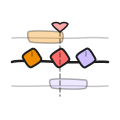
Keyframe timeline illustration

Keyframe Animation

Opacity, position, scale, rotation, and draw progress — all on a visual timeline.
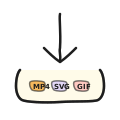
Export formats illustration

Export Anywhere

MP4, WebM, GIF, animated SVG, and dotLottie. E2E encrypted sharing included.

Draw → Animate → Export

The complete workflow in one tool. Draw diagrams with the full Excalidraw editor, add keyframe animations, and export in any format.

  • Full Excalidraw editor with all drawing tools
  • Visual keyframe timeline with per-element tracks
  • Real-time preview with playback controls
  • One-click export to 8 formats
Made with Excalimate

A Timeline That Makes Sense

Collapsible per-element tracks with interpolation curves. See every keyframe at a glance.

  • Collapsible element tracks with color coding
  • Drag-to-reposition keyframes
  • Interpolation curve editor
  • Zoom and scroll for precision
Made with Excalimate

Camera Animations

Pan, zoom, and rotate your canvas camera with aspect-ratio lock. Create cinematic transitions.

  • Camera keyframes with pan, zoom, rotation
  • Aspect ratio lock for consistent framing
  • Smooth interpolation between positions
  • Preview camera path in real-time
Made with Excalimate
MCP POWERED

AI-Powered Creation

23 MCP tools for AI-driven animation. Let Claude, GPT, or any AI build your animations.

  • 23 MCP tools for complete control
  • Live SSE mode for real-time updates
  • Works with Claude, GPT, any MCP client
  • 16 specialized AI skills
View setup guide →
mcp-tools.js
// Create an animated diagram
await mcp.call("create_element", {
  type: "rectangle",
  label: "API Gateway"
});

await mcp.call("add_keyframe", {
  elementId: "el_1",
  opacity: 0, scale: 0.5
});

Export in any format you need

From vector to video — pick the perfect format for your use case.

MP4 Video Universal video format
WebM Video Web-optimized video
GIF Image Animated GIF
SVG Vector Animated SVG
dotLottie Animation Up to 90% smaller than GIF
Lottie JSON Animation Industry-standard format
PNG Image Frame export
WebP Image Next-gen format

tiny file sizes!

Three steps to animated diagrams

From sketch to screen in under a minute.

1

Draw your diagram

Use the full Excalidraw editor to sketch your diagram, flowchart, or wireframe.

2

Set keyframes

Add animation keyframes — opacity, position, scale, rotation, and draw progress.

3

Export & share

Export as MP4, WebM, GIF, animated SVG, or dotLottie. Share with encrypted links.

Frequently asked questions

Quick, answer-first details about exports, AI workflows, security, and open-source access.

  • What can I export from Excalimate?

    Excalimate exports animated diagrams in 8 formats: MP4, WebM, GIF, SVG, dotLottie, Lottie JSON, PNG, and WebP.

  • Does Excalimate support AI-assisted workflows?

    Yes. Excalimate provides MCP tools for direct scene and animation control, plus 16 specialized AI skills for common diagram types.

  • How does encrypted sharing work?

    Sharing is end-to-end encrypted: project data is encrypted client-side and the key stays in the URL hash fragment, so the server cannot read your content.

  • Is Excalimate free and open source?

    Yes. Excalimate is free to use and open source under the MIT license, with the full codebase available on GitHub.

Open source, community driven

Excalimate is free and open source under the MIT license. Built by the community, for the community.


Open source star icon
Open Source Fully transparent codebase. Read it, fork it, improve it.
MIT license checkmark icon
MIT Licensed Use it anywhere — personal projects, startups, enterprise.
Community contributors icon
Community Driven Built with contributors. PRs, ideas, and feedback welcome.

Start animating your diagrams

Free, open source, no account needed.